
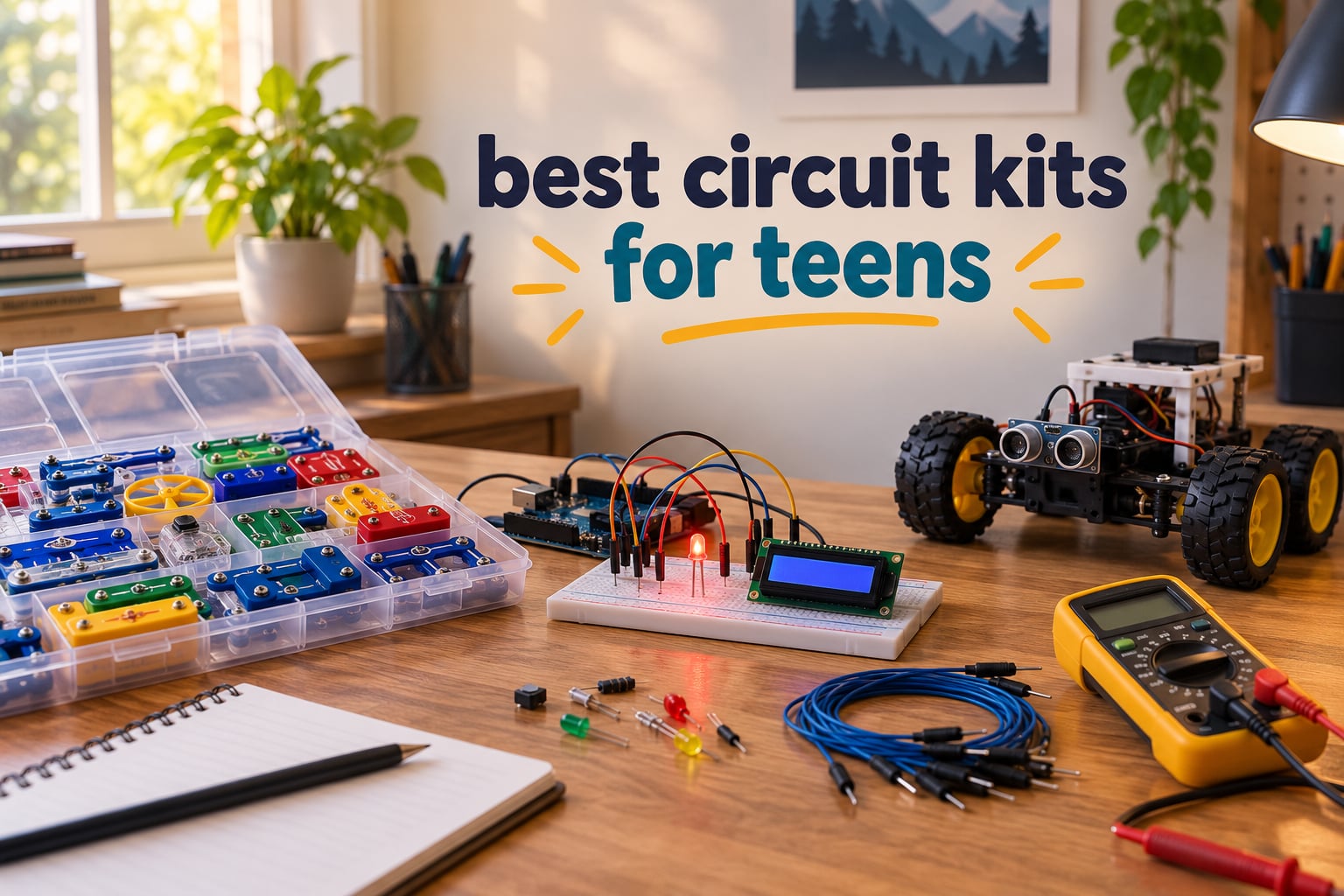
A circuit kit is a boxed set of electronic parts — LEDs, resistors, switches, motors, sensors and connectors — that a learner physically assembles into working circuits so they can see how electricity flows through a closed loop. Most teenagers meet these kits around age 12 or 13, right at the point when the snap-together sets they grew up with start to feel babyish but real electronics still looks like homework.
That gap is exactly why this roundup exists. When you search for the best circuit kits for teens, the results are mostly Reddit threads from parents and Quora answers, plus lists aimed at eight-year-olds. Nobody has laid out the 13 to 17 range properly, and that is where the interesting decisions live: whether a teen needs another plastic grid, a real breadboard, or a soldering iron.
We compared twelve kits across the full ladder, from solder-free snap systems to Arduino boards with pre-soldered modules. Every pick below states a con, an age fit, and what the teen actually ends up building, because a kit that looks impressive in a photo and then sits in a drawer after a weekend is the most common electronics purchase failure there is.
One framing note before we start. Every kit on this list runs on low voltage — AA or 9V batteries, or USB from a laptop. None of them expose mains electricity, so the safety conversation is about supervision and technique, not danger. The single kit here that requires a soldering iron is flagged clearly in its section.
Table of Contents
- Top 3 Circuit Kits for Teens in 2026
- All 12 Circuit Kits for Teens Compared in 2026
- How We Picked
- 1. Snap Circuits Classic SC-300 — The Best Starting Point
- 2. ELEGOO UNO R3 Super Starter Kit — Best Value Microcontroller Kit
- 3. ELEGOO Mega 2560 Project Kit — Best Component Range
- 4. Snap Circuits Arcade SCA-200 — Best for Game-Day Projects
- 5. Official Arduino Starter Kit — Best Documentation
- 6. EUDAX School Physics Labs — Best for Classroom Physics
- 7. National Geographic 120-Project Circuit Kit — Best for Video Lessons
- 8. EUDAX Basic Circuit Kit — Best Budget Starting Point
- 9. Elenco FM Radio Soldering Kit — Best First Soldering Project
- 10. Arduino Student Kit — Best Structured Curriculum
- 11. inventr.io Adventure Kit — Best Guided Video Course
- 12. Snap Circuits R/C Snap Rover — Best Driveable Finish
- How to Match a Circuit Kit to Your Teen’s Level
- Frequently Asked Questions
- The Verdict on the Best Circuit Kits for Teens in 2026
Top 3 Circuit Kits for Teens in 2026

Snap Circuits Classic SC-300
- 300+ projects from one box
- No tools or soldering needed
- 32 electrical parts plus snap-grid
- Parts work with other Snap Circuits kits

ELEGOO UNO R3 Super Starter…
- UNO R3 controller board
- 22+ guided lessons with example code
- Solderless breadboard
- Pre-soldered LCD display

ELEGOO Mega 2560 Project Kit
- Mega 2560 board with 54 digital I/O
- 200+ components for prototyping
- 35+ guided lessons
- Storage case included
All 12 Circuit Kits for Teens Compared in 2026
| Product | Specs | Action |
|---|---|---|
| Snap Circuits Classic SC-300 |
|
Check Latest Price |
| ELEGOO UNO R3 Super Starter Kit |
|
Check Latest Price |
| ELEGOO Mega 2560 Project Kit |
|
Check Latest Price |
 Snap Circuits Arcade SCA-200 Snap Circuits Arcade SCA-200 |
|
Check Latest Price |
 Official Arduino Starter Kit Official Arduino Starter Kit |
|
Check Latest Price |
 EUDAX School Physics Labs EUDAX School Physics Labs |
|
Check Latest Price |
 National Geographic 120-Project Kit National Geographic 120-Project Kit |
|
Check Latest Price |
 EUDAX Basic Circuit Kit EUDAX Basic Circuit Kit |
|
Check Latest Price |
 Elenco FM Radio Soldering Kit Elenco FM Radio Soldering Kit |
|
Check Latest Price |
 Arduino Student Kit Arduino Student Kit |
|
Check Latest Price |
 inventr.io Adventure Kit inventr.io Adventure Kit |
|
Check Latest Price |
 Snap Circuits R/C Snap Rover Snap Circuits R/C Snap Rover |
|
Check Latest Price |
How We Picked
Six criteria shaped this list, and each one exists because it killed products that otherwise looked good on a shelf.
First, age fit beyond the box label. Most kits print an 8+ or 12+ range, which tells you very little about whether a sixteen-year-old will still be interested on day nine. We looked at what the teen builds, not what the packaging claims.
Second, documentation quality. A kit with a thin manual and no online lessons strands any parent who does not already know electronics. Several picks here stand out precisely because their instructions teach, not just assemble.
Third, component reusability. We favoured kits whose parts carry over into later projects, so the box keeps giving after the manual runs out.
Fourth, the honesty of the project count. Headline numbers like 300-in-1 usually count near-identical relabeled circuits. We weighted how many genuinely different builds the parts allow.
Fifth, tools and supervision. Any kit needing a soldering iron is marked, and we say who should be in the room.
Sixth, durability and replacement parts. Teens lose components, snap plastic fatigues, and jumper wires snap. Brands that provide free replacements score better here, and Elenco’s service comes up repeatedly in buyer reviews.
1. Snap Circuits Classic SC-300 — The Best Starting Point
SNAP CIRCUITS Classic SC-300 STEM Electronics Kit, 300+ Projects, Ages 8+
Ages 8 and up
32 electrical parts
300+ projects
No tools needed
Pros
- Over 300 buildable projects from a single box
- Tool-free and solder-free snap-together construction
- Colorful manuals with objectives and step-by-step instructions
- Parts interchange with other Snap Circuits kits
- Elenco sends free replacement parts for damaged components
Cons
- Some components feel fragile under heavy daily play
- Manuals explain assembly more than circuit theory
- Batteries not included
After building with the SC-300 across several sessions, it is still the most dependable first electronics purchase we have worked with. Thirty-two electrical parts snap onto a plastic grid, and the whole thing runs without tools, solder or a screen.
The breadth is the selling point. A teen can go from a single LED on day one to a working AM radio, a burglar alarm and a doorbell without opening a new box, and the two manuals are illustrated clearly enough that most 13-year-olds work through them without an adult hovering.
Durability is the real story over a three-year rotation. Owners report passing sets down to multiple children, and the snap-together design means a broken wire is replaced with a new part rather than a new kit. That is a meaningful difference against cheaper kits where one missing component quietly ends the whole project.
The honest weakness is depth of explanation. The manuals tell you how to place parts but not why a transistor behaves differently from a switch, so a curious teen will finish the book and still not understand series versus parallel. Treat it as the on-ramp, not the destination.
Who it suits
A teen who has never held a component before, or who is coming back to electronics after loving it at age nine. It is also the safest gift for a 13-year-old who will not read instructions without pressure.
It works as a bridge too. Because Snap Circuits parts share a numbering system, anything a teen learns about closed loops here transfers directly to the breadboarding kits further down this list.
Who it does not suit
A 16 or 17-year-old who already builds things. This is genuinely a toy-adjacent kit, and a teen who has outgrown the plastic grid will know it within an hour. Move up the list instead of expecting more projects to fix it.
It is also weak for a school science fair project, since the circuits follow a fixed grid layout rather than a schematic the teen designs.
2. ELEGOO UNO R3 Super Starter Kit — Best Value Microcontroller Kit
ELEGOO UNO R3 Project Super Starter Kit with PDF Tutorial for Beginners
UNO R3 board
22+ guided lessons
Solderless breadboard
1.2 pounds
Pros
- Very broad component selection in one box
- Step-by-step lessons covering programming and sensor projects
- Pre-soldered modules remove soldering from the equation
- Components fit the breadboard cleanly
- Neat labelled packaging with a storage case
- ELEGOO support resolves issues quickly
Cons
- Mac Arduino IDE setup guide is thinner than the Windows one
- A small number of kits need breadboard power module troubleshooting
- Bundled CD tutorial materials go out of date
This is the kit we recommend to a motivated teen who has outgrown snap circuits but is not ready to solder. It includes an UNO R3 controller, a solderless breadboard, and a component spread that includes an LCD1602 display, ultrasonic and DHT11 sensors, a joystick, an IR receiver and remote, an SG90 servo, a stepper motor with driver, a relay, a DC motor, 120 resistors, jumper wires, a USB cable and a 9V battery.
That inventory matters because the breadboard is where real electronics actually begins. A teen can rebuild the same components into a new arrangement ten different ways, which is exactly the conceptual shift that separates a snap kit from actual circuit design.
Twenty-two guided lessons with example code take a complete beginner from blinking an LED to reading sensors and driving motors. The modules arrive pre-soldered, so there is no soldering iron anywhere in the process, which matters if you are supervising a 13-year-old.
Buyer complaints cluster in two places. The Mac setup documentation is thinner than the Windows path, and the bundled CD tutorials age badly, so plan on the online lessons instead. A handful of reviewers also reported examples arriving with a power module or jumper wires needing troubleshooting, though ELEGOO support has generally resolved those quickly.
Who it suits
A 14-year-old ready to learn real prototyping, and any adult who wants a single box that covers Arduino coding without hunting for parts across a dozen listings. It is also the strongest choice if a teen wants a project with a screen output rather than just blinking lights.
Homeschool families take note: the component range is broad enough to cover a full semester of circuit and coding topics.
Who it does not suit
A complete beginner with no patience for code. Arduino is programming first and electronics second, and a teen who resists debugging an error message will stall before the hardware gets interesting.
It is also not the right kit for someone who needs a finished object to show off, since most builds live on a breadboard rather than in a case.
3. ELEGOO Mega 2560 Project Kit — Best Component Range
ELEGOO Mega 2560 R3 Project The Most Complete Starter Kit with Tutorial
Ages 13 and up
200+ components
54 digital I/O
35+ lessons
Pros
- Far larger component count than the UNO kit
- High pin count avoids port limitations of smaller boards
- Modules arrive pre-soldered so focus stays on wiring and code
- Storage case and small-parts box keep parts organized
- Lessons build from simple LED circuits to RFID and RTC
Cons
- Component volume can overwhelm an absolute beginner
- Many modules only become useful once coding basics are solid
- Some buyers outgrow the example projects quickly
The Mega 2560 board is the difference here. Fifty-four digital I/O pins, 15 PWM outputs, 16 analog inputs and four hardware serial ports mean a teen can wire up an ambitious project without hitting the port ceiling that forces compromises on a smaller UNO board.
The component list runs past 200 pieces and includes LCD1602, RC522 RFID, RTC, DHT11, PIR, ultrasonic, water-level, GY-521 and MAX7219 modules. Thirty-five guided lessons with example code accompany it, plus a solderless breadboard, storage case and small-parts box.
Manufacturer recommendation is 13 years and up, which makes this the rare kit in the category labelled for teens rather than for kids. It also stays solder-free, so a parent with no electronics background can supervise comfortably.
The trade-off is cognitive load. Reviewers consistently note that the sheer volume can overwhelm an absolute beginner, and that many of the modules sit unused until the basics of Arduino coding are comfortable. Nothing is broken here; it just asks more patience than kit two.
Who it suits
A 15 or 16-year-old who has already built ten projects on a starter board and wants the headroom to design their own. RFID, real-time clock and motion modules support the kind of ambitious builds that a smaller board cannot attempt.
It also suits a family with more than one teen, since the parts inventory supports parallel projects rather than sharing one fragile breadboard.
Who it does not suit
A true beginner. Start with the UNO kit instead, or the 200 components will sit in their case while the teen concludes electronics is not for them.
It is a poor choice for a teen who wants screen-free hours, because every debugging session ends at a laptop.
4. Snap Circuits Arcade SCA-200 — Best for Game-Day Projects
SNAP CIRCUITS Arcade SCA-200 STEM Electronics Kit for Kids Ages 8+
Ages 8 and up
36 pieces
200+ projects
20+ games
Pros
- Over 200 projects in a compact 36-piece box
- More than 20 arcade-style games with sound and light
- Tool-free and solder-free construction
- Instruction book doubles as a game guide
- Parts work with other Snap Circuits kits
Cons
- Batteries required and not included
- Some projects repeat concepts covered in other Snap Circuits sets
The Arcade set trades depth for immediate payoff. Thirty-six pieces build more than 200 projects and over twenty playable games, including a spinning LED message display, and it carries a lifetime warranty against manufacturer defects.
For a 13-year-old who is motivated by outcomes rather than principles, this can be the hook that starts the hobby. Nothing beats hearing a sound you programmed yourself on the second afternoon of ownership.
It is also among the most compact options here at 15.5 by 2.5 by 11.9 inches, which matters if storage is the constraint. A teen who finishes it can reuse the parts on the SC-300 or the Rover without any adapter.
The problem is that several projects repeat concepts already covered in other Snap Circuits sets, so a family that already owns the Classic kit gains games rather than new knowledge. The battery requirement is also a common first-day frustration.
Who it suits
A younger teen, roughly 13, who responds to competitive and game-like formats. It works well as a birthday gift because the fun arrives fast.
It is also a reasonable second Snap Circuits purchase for a family whose first set was a small junior kit and has been exhausted.
Who it does not suit
A teen who wants to understand electronics rather than play with outcomes. Nothing in this set pushes toward a schematic or a real component relationship.
Skip it too if your teen already owns the SC-300, because the overlap is substantial and the marginal value is mostly the arcade games.
5. Official Arduino Starter Kit — Best Documentation
Official Arduino Starter Kit [K000007] – 12 DIY Projects with Electronic Components & English Projects Book – Original Kit from Italy
Uno R3 board
12 to 15 projects
Wooden base
836 g
Pros
- Genuine Arduino Uno and components
- Exceptionally clear project book with schematics and commented code
- Projects build on each other so concepts accumulate
- Wooden base gives a stable mounting platform
- Premium packaging makes it a strong gift
Cons
- Costs more than third-party kits with similar components
- Small light-coloured book print is hard to read
- Cheap jumper wires can break after repeated unplugging
- Some resistors need a multimeter to tell apart by colour band
This is the kit to buy if documentation quality is your top concern. The English-language project book is the most thorough in this roundup, with breadboard diagrams, schematics and commented code on the same page, and fifteen projects covering a DC motor, servo motor, tilt sensor and LEDs.
The Arduino community describes this kit as the natural upgrade from snap circuits, and the progression shows. Projects build on one another rather than repeating, so a teen accumulates understanding instead of memorising positions.
Genuine Arduino hardware sourced from Italy is included, and several owners note it performs identically to third-party boards, which makes the hardware question moot. The wooden mounting base is a small touch that keeps the Uno and breadboard stable and protected.
The drawbacks are real though. This kit costs more per component than the third-party boards here, the book print is small and light-coloured enough to strain younger eyes, and reviewers flag that the cheap jumper wires can snap after repeated unplugging. Some resistors are also hard to distinguish by colour band alone without a multimeter.
Who it suits
A teen who reads instructions thoroughly and wants to understand the theory, not just follow a sequence. A parent who will sit and read the schematic with them gets enormous value from it.
It is also a strong gift, because the packaging and wooden base feel considered rather than mass-produced.
Who it does not suit
A teen who learns by experimenting rather than following pages. For them the UNO R3 kit offers more hardware variety at a lower outlay.
Anyone who needs easy resistor identification without a multimeter will find the small, faded colour codes frustrating at first.
6. EUDAX School Physics Labs — Best for Classroom Physics
EUDAX School Physics Labs Basic Electricity Discovery Circuit and Magnetism Experiment Kits for High School Students Electromagnetism Elementary Electronics
79 pieces
Ages 8 to 18
Electricity and magnetism
Storage bag
Pros
- Covers both electricity and magnetism with enough parts for standard lab work
- Full-colour manuals make the physics easier to follow
- Storage bag keeps all 79 components organized
- Includes repair tools which is unusual at this level
- Sized for high school classroom use
Cons
- Requires three AA batteries that are not included
- Wires and basic components are simpler than school physics lab equipment
- Manual focuses on assembly rather than underlying theory
This is the only kit here labelled specifically for grades 9 through 11, and it is built around lab experiments rather than projects. The set holds 56 electricity items and 21 magnetism items across 79 components, plus a full-colour manual, a storage bag and two repair tools.
The experiment list is the point: series circuits, parallel circuits, a fruit battery, Ohm’s law resistor measurement, the Oersted experiment, an electromagnet, an Ampere’s force investigation, an electric bell and a hand crank generator. That is a genuine physics curriculum, not a novelty.
Manufacturer age range is 8 to 18, which makes it one of the few kits on this list with legitimate upper-teen relevance. The 1.43 kilogram weight and 79-piece count also mean it handles a full class period without falling apart.
Reviewers are candid about the ceiling. The wires and passive components are simpler than what a real school physics lab uses, and the manual leans toward assembly steps rather than explaining the underlying theory. If your teen needs to win a science fair against well-equipped competitors, this kit prepares them to demonstrate, not to out-perform.
Who it suits
A teen in a homeschool curriculum or a school STEM program where circuit work is part of the syllabus. The experiment sequence maps cleanly to a term of study.
It is also a natural fit for a teen whose interest is physics rather than electronics, since the magnetism half is unusual for a circuit kit.
Who it does not suit
A teen who wants to build things they can use or keep. Every experiment here ends disassembled back into the storage bag.
It is also a weaker gift than a project kit, because there is no finished object to show for the effort at the end of the afternoon.
7. National Geographic 120-Project Circuit Kit — Best for Video Lessons
National Geographic Circuit Kit for Kids with 120 Electrical Projects
120+ projects
Ages 8 and up
QR video lessons
2.7 pounds
Pros
- Over 120 projects give a long runway from one box
- Snap-together wiring needs no tools or soldering iron
- QR code video instructions help when printed diagrams are unclear
- Mixes building and play with games and light shows
- Components designed for safety around younger builders
Cons
- Wires and components less robust than metal snap systems
- Project difficulty varies widely with many repeating simpler ideas
- Some advanced projects require adult help
More than 120 projects and activities, with an illustrated manual backed by QR code video instructions. That video layer is the differentiator: when a printed diagram is unclear, a teenager can watch the build instead of guessing, which removes the most common reason kids stall.
The project range is broader in mood than pure circuit work. It includes light shows, a flying copter, keyboard mode and a voice amplifier, so there are outcomes to aim for beyond blinking LEDs.
It weighs 2.7 pounds and runs on alkaline batteries, and the connections are snap-together wires rather than the metal snap grid Elenco uses. That distinction shows up in reviews as lighter build quality, so it will not survive daily rough handling as well as a metal-contact system.
Reviewers also note that project difficulty varies widely and that many entries repeat simpler ideas, and that some of the more advanced builds want an adult in the room. Brand support is US-based, which matters if a piece arrives missing.
Who it suits
A teen who is visual and learns by watching, since the video instructions remove a lot of reading friction. It also suits a family without an electronics-knowledgeable adult, because the videos show the wiring.
The voice amplifier and light shows are good confidence builders for someone who has never completed a circuit before.
Who it does not suit
A teen who will take a kit apart roughly once a week. Lighter-duty wiring is the wrong material for that treatment, and replacement parts are less readily available than for Snap Circuits sets.
It is also a weaker choice for a 17-year-old who wants a finished project rather than a long sequence of guided activities.
8. EUDAX Basic Circuit Kit — Best Budget Starting Point
EUDAX Physics Science Lab Learning Circuit kit,Electricity Experiment Set,Building Circuits for Student Junior Senior High School Students (Basic kit)
17 pieces
Grades 7 to 9 projects
Series and parallel
Storage box
Pros
- Effective demonstration of series and parallel circuits
- Simple enough for a middle schooler to assemble with little help
- Easy to expand with similar parts into larger demonstration boards
- Compact storage box keeps pieces together
- Useful for homeschool and classroom supplementation
Cons
- Bulbs do not shine as brightly as better classroom kits
- Manual relies on diagrams and gives little circuit theory
- Requires two AA batteries that are not included
Seventeen pieces, one clear goal: show series and parallel side by side so a learner can see why one lamp dims and the other does not. Everything packs into the included plastic storage box, and the English instructions use assembly diagrams.
For a 13-year-old who needs the concept explained in a small box before committing to a bigger kit, this works. Buyers treat it as an effective demonstrator for homeschool units, science fairs and summer camps.
The limits are physical rather than educational. Reviewers note the bulbs do not shine as brightly as they should, and that battery connectors add noticeable resistance compared with proper classroom kits, so a teenager chasing brightness will be disappointed. The manual also gives little circuit theory beyond the diagrams.
One practical advantage: because the parts are simple and widely available, a family can add matching components and build larger demonstration boards instead of buying a second kit.
Who it suits
A younger teen or an adult beginner who wants to understand the single most important circuit concept before spending more. It is also a gentle entry point for a child who is nervous about electronics.
Homeschool families building a sequential physics curriculum will find it useful as an early unit.
Who it does not suit
A 16 or 17-year-old. Seventeen components will not hold an older teen’s attention for more than a single afternoon, and there is no path forward built into the box.
It also suits poorly as a gift, because nothing survives the build to sit on a shelf as evidence of the work.
9. Elenco FM Radio Soldering Kit — Best First Soldering Project
Elenco FM Radio STEM Electronics Soldering Kit for Kids Ages 12+
Ages 12 and up
Printed circuit board
FM 88 to 108 MHz
Teaches soldering
Pros
- A working FM radio is a genuinely satisfying finished build
- Teaches real PCB soldering skills that transfer to other electronics
- Inexpensive entry point into hands-on electronics
- Introduces a variety of components in a compact package
Cons
- Soldering is required so it suits older teens and needs supervision
- Modest mono sound compared with modern consumer radios
- Assembly instructions can be dense for a first-time builder
Here is the soldering tier, and it is the one category no competitor roundup covers. This kit mounts real components onto a printed circuit board and joints them with a soldering iron, producing a monophonic FM receiver covering 88 to 108 MHz with electronic auto-scan.
That outcome matters more than it sounds. Solderless kits teach concepts; a soldered board teaches permanence, and a teenager who has soldered a working radio has a skill that carries into every electronics project afterwards.
It carries a 12-and-up manufacturer rating and a 3.5mm audio output, so it plays through earphones rather than a speaker. Board dimensions are 13 by 9 by 0.75 inches, which is a comfortable weekend-sized build.
Two cautions. The audio is mono and modest by modern standards, so a teen expecting a Bluetooth speaker should recalibrate. And the assembly instructions are dense for someone soldering for the first time, which is why adult supervision belongs in the room rather than in the next room.
Who it suits
A 14 to 17-year-old who has already finished a solderless kit and specifically wants to learn soldering. The finished radio is the most satisfying finished object in this roundup, because it is a device the teen can actually tune.
It is also a compact, low-commitment way to test whether soldering appeals to a teen before committing to a larger soldering station.
Who it does not suit
A 13-year-old working alone. This is the one kit here involving a hot iron, and it deserves an adult in the room from start to finish.
It is also wrong for a teen who wants customization. Once built, the board does one job.
10. Arduino Student Kit — Best Structured Curriculum
Arduino Student Kit [AKX00025] – Complete STEM Learning Kit with Hands-On Projects, Sensors, Components, and Interactive Curriculum for Electronics and Programming
Uno board
Interactive curriculum
Video and online lessons
8.27 by 6.69 inches
Pros
- Official Arduino curriculum with written and video tutorials
- Logical sequence through digital and analog circuits
- Wide variety of quality components for experimentation
- Designed for students and educators alike
Cons
- Younger students need adult help with wiring and IDE setup
- Fewer sensors and modules than larger third-party kits
- Some advanced Arduino topics fall outside the supplied curriculum
What separates this kit is the teaching layer rather than the parts. The interactive curriculum runs through written, video and online step-by-step tutorials, covering digital and analog circuits, sensors, actuators and microcontroller programming using the Arduino IDE.
Projects include a traffic light system, a light-sensitive lamp and a motion-activated alarm. That sequence is deliberate, and it introduces each concept before the next one depends on it.
For a homeschool family or a teacher building a structured term of study, having an official curriculum mapped out is worth a great deal. The component set includes LEDs, resistors, capacitors, motors, sensors and a prototyping breadboard.
The trade-off is quantity. Reviewers consistently note that this kit carries fewer sensors and modules than larger third-party kits at a comparable spend, and that more advanced Arduino topics fall outside the supplied curriculum. You are buying instruction quality, not parts volume.
Who it suits
A teen who benefits from structure and dislikes improvising a curriculum. It suits parents teaching electronics at home, since the sequence removes the planning work entirely.
It is a good fit for a classroom too, where a teacher needs every student following the same path at the same time.
Who it does not suit
A teen who wants to build whatever they imagine rather than follow a course. The parts inventory will feel thin after a few weeks.
Anyone starting from zero should budget an extra session for IDE setup and initial wiring help.
11. inventr.io Adventure Kit — Best Guided Video Course
Adventure Kit: 30 Days Lost in Space | Premium STEM Coding Course for Adults & Teens | Robotics & Engineering Projects with Expert Teachers | Arduino IDE Compatible Kit
Ages 12 and up
30+ hours of video
30-day course
1 year warranty
Pros
- More than 30 hours of video instruction taught by working engineers
- Storyline format gives strong sense of daily progression
- No prior coding experience needed with about one hour a day
- Parts are reusable across all 30 days
- Large maker community for support and inspiration
Cons
- Course is digital so a computer and screen are required
- Sits at the premium end of this roundup
- Narrative format may not suit learners who prefer hands-on-only projects
This is a thirty-day course dressed as a kit. More than 30 hours of premium video lessons cover circuits, AI and C++ coding in the Arduino IDE, delivered through a cinematic storyline with guided daily challenges of roughly one hour each.
For a teen who abandons unstructured projects after a week, the daily structure is the product. Owners credit the storyline with giving a real sense of progression, and the instruction is taught by working engineers and a NASA researcher rather than static files.
Manufacturer age is 12 and up and explicitly teens and adults. Parts are reusable across all thirty days, so the hardware supports the whole course rather than one build, and there is a one year warranty plus access to a maker community.
The reservations are predictable. It sits at the premium end of this roundup, the course is delivered digitally so a computer and screen access are mandatory, and a teen who prefers working only with their hands will find the narrative framing an obstacle. Budget for the screen time, and check that a full hour a day is realistic.
Who it suits
A 15 or 16-year-old with commitment to a daily habit, and any learner who would rather watch a working engineer than reverse-engineer a diagram. No prior coding experience is required.
It also suits an adult beginner, since the adult-and-teen pairing is exactly the use case the manufacturer describes.
Who it does not suit
A teen whose family wants screen-free enrichment. Every session ends at a laptop, which makes this the opposite of a snap kit in that respect.
It is also the wrong choice for a 13-year-old, because the daily hour-long commitment is a lot to ask before the interest has formed.
12. Snap Circuits R/C Snap Rover — Best Driveable Finish
Snap Circuits R/C Snap Rover STEM Electronics & Robotics Kit, Ages 8+
37 components
Ages 8 and up
Remote-controlled rover
Lifetime warranty
Pros
- Combines a real build project with a finished remote-controlled vehicle
- Project manual doubles as a diagnostic tool for faulty parts
- Parts compatible with other Snap Circuits kits
- Elenco sends free replacement parts quickly
- Wireless two-joystick control with spins and reverse
Cons
- Only a portion of listed projects involve the rover itself
- Rover moves slowly and works best indoors
- Motor control unit can burn out if it stays powered on
- Some wire lengths are shorter than expected
Thirty-seven electronic components, a plastic snap-grid and a remote-controlled rover body. What you end up with is a vehicle you built yourself and can then drive across a floor with forward, reverse, turning and 360-degree spins, and up to three rovers can run at once.
That matters for a specific reason. A snap kit that produces nothing after the last page gets shelved. This one produces something a teen can show a friend, which reviewers repeatedly identify as the appeal.
The manual does double duty as a diagnostic tool for tracking down faulty parts, and the components work with any other Snap Circuits set. Elenco’s replacement parts service comes up as a genuine positive, with owners reporting complete assemblies sent when something fails.
Buyers are honest about the limitations. Only a portion of the listed projects actually involve the rover, with the rest being generic snap circuits builds, the rover is slow and best kept indoors, and the motor control unit can burn out if it stays powered on. It also needs six AA batteries plus a 9V, none of which are included.
Who it suits
A 13-year-old who needs a visible outcome to stay motivated, and a teen who enjoys building as much as learning. Three rovers running at once works well for a sibling pair or a friend group.
It is also a strong gift for someone who has never finished anything, because driving the finished rover is an immediate reward.
Who it does not suit
A 17-year-old interested in real electronics. This is snap-circuit technology in a plastic chassis, and it will not extend into prototyping.
It is also a poor fit outdoors, where slow motors and a wired controller end the fun quickly.
How to Match a Circuit Kit to Your Teen’s Level
Start with the skill ladder, not the age number. Four tiers describe almost every kit a teenager might encounter, and the useful question is which rung your teen is on right now, not what they will be in a year.
The first tier is solder-free snap construction. Snap-together parts on a plastic grid teach closed loops, polarity and series versus parallel without any risk or mess. Every kit in that tier runs on AA batteries, needs no tools, and is entirely screen-free. For a 13-year-old new to electronics, this remains the right starting point.
The second tier is breadboarding. A breadboard is a prototyping board with a grid of contacts that lets a learner insert components and jumper wires without solder, so the same parts can be rebuilt into a new arrangement. That rebuildability is the whole point, because it teaches circuit design rather than circuit memorisation. Teenagers who plateau on snap kits need this step.
The third tier is soldering. A teenager who has finished twenty breadboard projects and wants permanence can move to a printed circuit board and a soldering iron. Treat this as a supervised activity regardless of age, with an adult in the room, ventilation, and a defined practice area. No kit in this roundup uses mains voltage, so the risk is a burn rather than electrocution, which is a manageable one.
The fourth tier is microcontroller programming, where an Arduino-class board reads sensors and drives outputs under code you write. This is where teens who want a career path in engineering should end up, and it is where the robotics kits for teens we cover separately become the natural next step.
On safety, three rules cover almost everything. Every kit here runs on low voltage from batteries or USB, so there is no mains exposure. Keep the soldering kits supervised and use a heat-resistant mat. And read the manual’s polarity markings before inserting any polarized component, because reversed power is what actually damages cheap parts.
On cost per hour, a useful mental model is to divide what you spent by the number of genuinely different builds rather than the headline project count. A 300-in-1 snap kit with relabeled circuits will exhaust in a weekend, while a twelve-project Arduino kit with schematics can run for a term. Our drone buying guide applies the same cost-per-session thinking to a different hobby.
If the goal is an object that makes sound rather than light, the same build-from-parts logic shows up in our pick of the best electronic drum kits, where a teenager is wiring sensors to a module instead of an LED.
On screen-free versus app-dependent, the honest split is this. Snap kits, the EUDAX lab kits and the soldering kit are entirely screen-free. Every Arduino kit requires a laptop for coding. Only the inventr.io course and the National Geographic video instructions add structured screen time, though those videos exist to replace confusing printed diagrams rather than to entertain.
On what to skip, avoid any bulk unbranded kit advertised as 200 STEM circuits or more with no named manufacturer and no documentation. Those listings flood search results, and the component quality rarely matches the project count. Also skip a junior snap kit marketed at eight and up for a 16-year-old, and skip anything mains-powered, which for a teenager has no upside.
Finally, consider the missing-part problem before you buy. Kits with a hundred tiny components invite the frustration of discovering three pieces are absent at the second build. Brands that send free replacement parts, as Snap Circuits and ELEGOO both do according to buyer reports, remove most of that friction.
Frequently Asked Questions
What are some good electrical kits for teenagers?
The strongest picks for teenagers span three levels. For a beginner, the Snap Circuits Classic SC-300 offers 300+ projects with no tools required. For a motivated teen ready for real prototyping, the ELEGOO UNO R3 Super Starter Kit adds a solderless breadboard, sensors and 22+ guided coding lessons. For a soldering milestone, the Elenco FM Radio kit ends in a working receiver.
Are Snap Circuits too easy for a 14 year old?
For most 14-year-olds, yes at first and no after a few weeks. The snap grid is genuinely a step below real prototyping, so a teen who already understands closed loops and polarity will outgrow it quickly. The fix is not a bigger snap kit but a different tier: move to a solderless breadboard Arduino kit or a soldering project where components can be rebuilt into new arrangements.
What is the best electronic kit for beginners?
For a complete beginner, the Snap Circuits Classic SC-300 is the safest and most durable entry point because it needs no tools, no solder and no coding, and its parts are replaceable. If the beginner is a teen who already shows patience for detail, start one tier higher with an Arduino breadboard kit to avoid the snap-kit plateau.
Is a soldering iron safe for a teenager?
Yes, under supervision. Every circuit kit in this roundup runs on low voltage from batteries or USB, so there is no mains exposure, and the real risks are burns and fume inhalation. An adult should stay in the room, use a heat-resistant mat with ventilation, keep components away from water, and check polarity before power-up. Soldering kits here carry a 12-and-up rating.
Are STEM kits worth the money?
They are worth it when the parts get reused and the teen keeps building past the manual. Judge cost per hour of use by counting genuinely different builds rather than headline project counts, which often count relabeled versions of the same circuit. Kits that hand over spare parts and carry a real curriculum hold value far longer than unbranded bulk kits with hundreds of near-identical projects.
The Verdict on the Best Circuit Kits for Teens in 2026
The Snap Circuits Classic SC-300 takes the top spot because it has the widest project range, the fewest barriers to getting started and replacement parts that keep it working across a full teen rotation. From there, match the tier: the ELEGOO UNO R3 kit for motivated beginners, the ELEGOO Mega 2560 project kit for teens who want headroom, and the Elenco FM Radio kit when a teenager is ready for a soldering iron.
Whichever you pick, buy one kit and finish it before buying another. The teens who get hooked are the ones who reach the point where they redesign a project themselves, and that happens fastest when nothing is sitting half-assembled in a box.